Android's Pause Point cured my doomscrolling — Apple needs to steal it
A screen time control feature finally worked for me
I have a problem. It's something I do dozens of times a day, without even thinking about it.
I absentmindedly grab my phone, unlock it, and before I know it I'm scrolling through Facebook. Sometimes it happens on pure autopilot. Other times I pick it up intending to send a text or check an email, only to get completely sidetracked.
I've tried placing all social network apps in a single folder and moving it to secondary home screens, or removing them from home screens altogether, only to relearn the muscle memory of how to get to Facebook or Instagram as quickly as possible.
At one point, I set up time limits for social media apps on iPhone and Android, but every time I'd hit the daily limit of two hours, I'd very quickly tap the bypass button, enter the passcode and go back to scrolling. It became second nature. I ended up turning the time limits off.
I know I'm not alone. But, I think I might have finally found something that works. I hope.
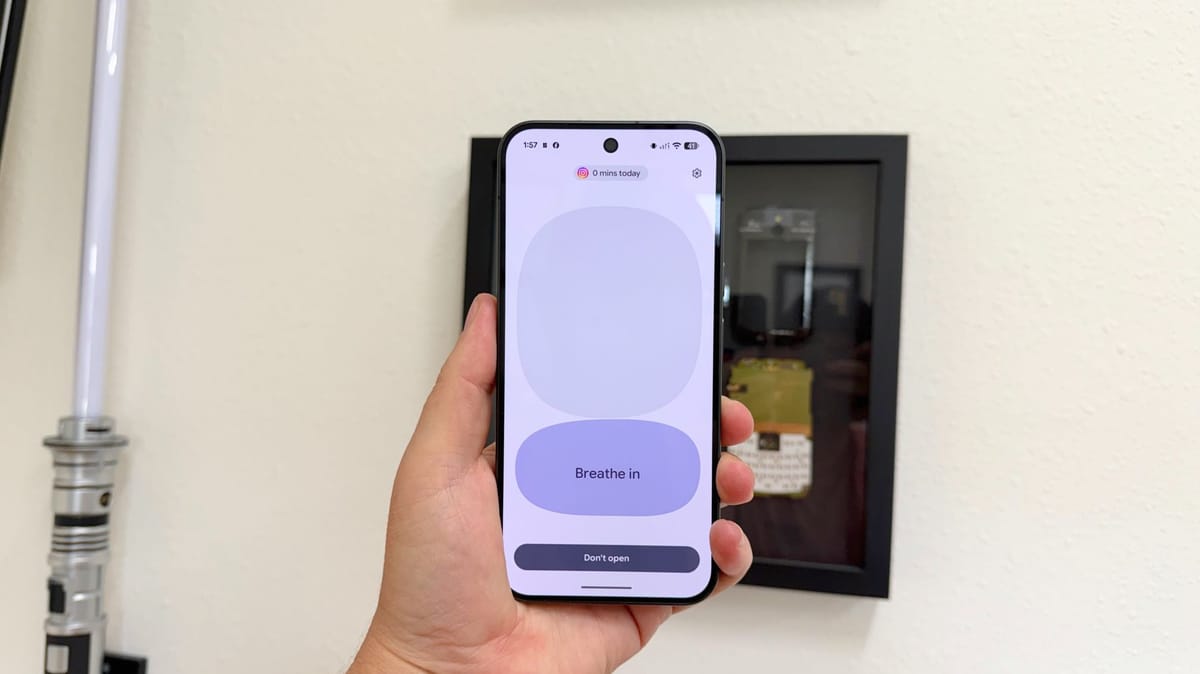
In May, Google announced a new Android feature called Pause Point. The idea is very simple — create a list of apps you want to cut back on, and every time you open one, you're greeted with a screen that forces you to think about what you're actually doing. I liked the idea of the feature, but had forgotten all about it until recently.
While testing the Pixel 11 Pro XL for TechRadar, I came across Pause Point in the Wellbeing app and decided to give it a try. Setup was a breeze — I added Facebook and Instagram to the list of apps, and hoped for the best.
Over the next few days, every single time I opened either app, I was greeted with a different screen. It was a shock every time. Sometimes I'd see a screen asking me to indicate what I was feeling when opening the app, other times I was asked to do a breathing exercise before being allowed to view my feed. Another screen asked me how long I wanted to spend in the app, with predefined options of 5, 15 or 30 minutes, after which it locked me out again.
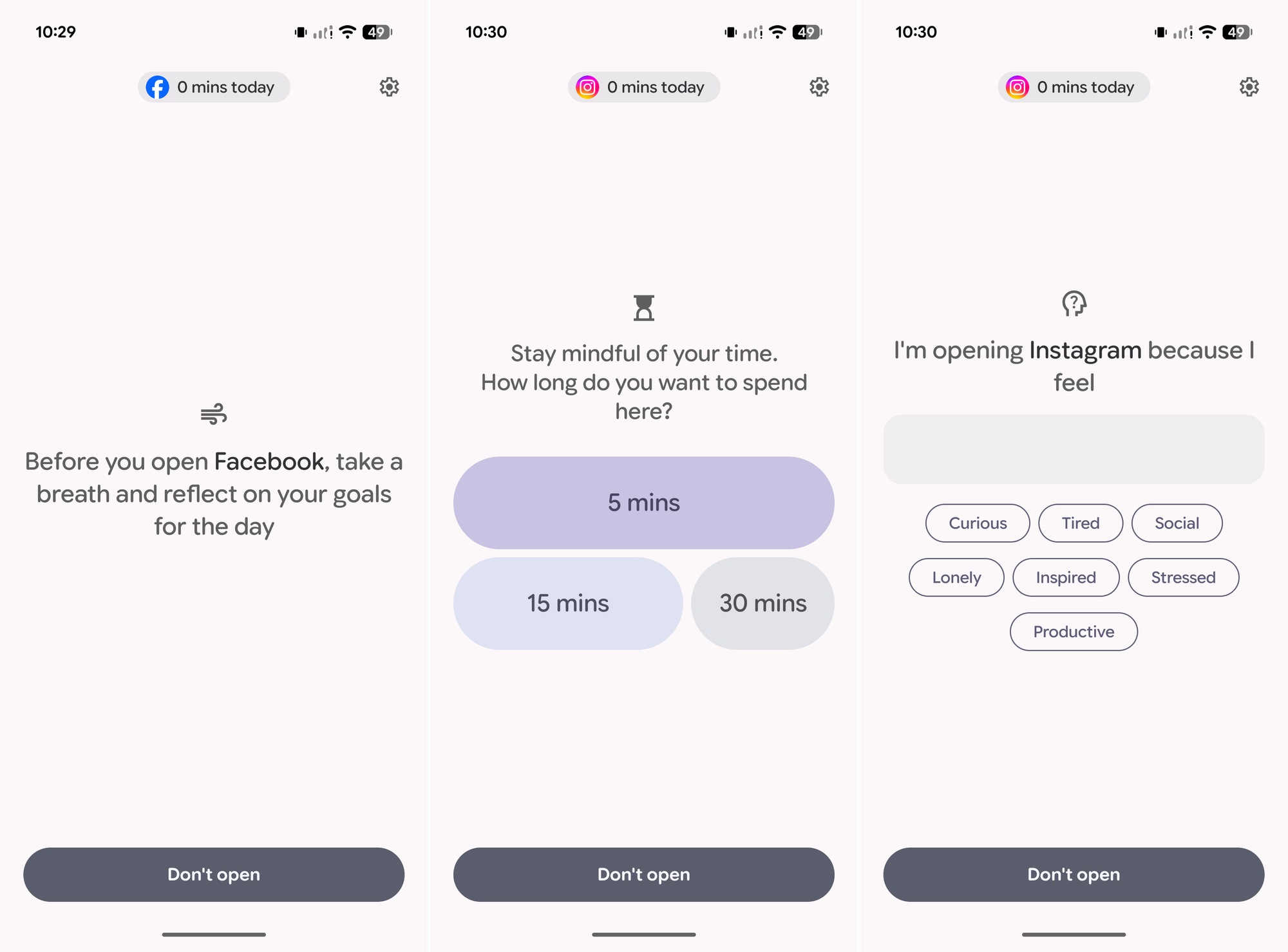
In total, there are five different pause points you can use:
- Breathe — Asks you to do a short breathing activity before you can proceed to the app.
- Remind — You can select a number of personal photos to swipe through before proceeding to the app. If you don't add photos, Google has added a few cartoon-like pics of rocks. They're cute as heck.
- Divert — Presents you with a list of apps, of your choosing, that you should open instead.
- Plan — Set a time limit for yourself.
- Reflect — Asks what you were feeling when you opened the app.
I left all of them enabled, and each one was equally effective.
For the first three days, my screen time in both apps was a collective total of zero. I went from a few hours a day to absolutely nothing. It was awesome.
It wasn't until the fourth day when I was finally presented with the pause point asking how long I wanted to use the app. I selected 5 minutes, did my scrolling and returned to reality after the time was up.
There's a case to be made that self-control is the real problem here, and I agree. However, there's something truly addictive about social media and I know I'm not alone in struggling with keeping my screen time to a minimum.
I want Pause Point on every device I own. It's the first screen control-like setting that's actually worked.
Yes, that means I want Apple to steal it. It's not lost on me that this is my second story about an Android feature I think Apple should steal in nearly as many weeks — and for good reason. Google is on a tear right now.